Mighty Mule Keypad Manual: A Comprehensive Guide
This manual provides detailed instructions for installing, programming, and operating Mighty Mule keypads (MMK200, FM137) for automatic gate systems, ensuring secure access.
Mighty Mule keypads are essential components for controlling access to your automatic gate system, offering a convenient and secure alternative to traditional methods. Designed specifically for use with Mighty Mule gate operators, these keypads provide a robust and reliable solution for managing entry and exit. The MMK200 and FM137 models utilize advanced radio frequency technology, ensuring a high level of security with over a million unique codes, preventing unauthorized access.
These digital keypads allow users to enter a personalized PIN code to activate the gate operator, eliminating the need for physical keys or remote controls. They are particularly useful for situations where multiple users require access, or for temporary access granted to visitors or service personnel. The keypads are designed for straightforward installation and programming, making them accessible to both DIY enthusiasts and professional installers.
Understanding Keypad Models (MMK200, FM137)
Mighty Mule offers several keypad models, with the MMK200 and FM137 being the most popular choices for automatic gate control. Both models share core functionality – providing secure, PIN-code based access – but differ in specific features and aesthetics. The FM137 is a wireless digital keypad, designed for easy installation within a 50-foot range of the gate operator, eliminating the need for trenching and wiring.
The MMK200, while also digital, may require wiring depending on the gate operator system. Both keypads are capable of storing up to 25 unique PIN codes, offering flexibility for managing access for family members, guests, or service providers. Users can program these codes as either temporary or permanent, enhancing security and control. Both models prioritize a secure radio format, utilizing a vast number of codes to prevent unauthorized entry.
Keypad Features and Benefits
Mighty Mule keypads deliver a robust suite of features designed for convenience and enhanced gate security. A primary benefit is the ability to program up to 25 distinct personal identification number (PIN) codes, catering to diverse access needs. These codes can be customized as temporary, granting limited-time access, or permanent, for frequent users.
The wireless functionality, particularly in the FM137 model, simplifies installation, avoiding costly and disruptive wiring. The radio format employed provides a high level of security, utilizing over a million different codes to thwart unauthorized access attempts. Operation is straightforward: users simply enter their assigned 1 to 6-digit code and press the activation button. This system offers a reliable and user-friendly alternative to traditional gate access methods.
Wireless Communication Range (Up to 50 Feet)
The Mighty Mule FM137 keypad boasts a reliable wireless communication range of up to 50 feet. This substantial range provides flexibility in keypad placement, allowing for convenient access control without the necessity of running wires. However, it’s crucial to acknowledge that actual range can be influenced by environmental factors and potential interference.
Obstructions like walls, buildings, and dense foliage can diminish the signal strength, potentially reducing the effective range. Similarly, other wireless devices operating on similar frequencies may cause interference, impacting communication reliability. Careful consideration of the installation location is therefore paramount to ensure consistent and dependable operation. Maintaining a clear line of sight, where feasible, will maximize the wireless range and minimize potential connectivity issues.

Installation Process
Proper installation is key for optimal performance; this involves securely mounting the keypad, carefully considering wiring (if needed), and performing a thorough system check.
Mounting the Keypad
Selecting a suitable location is crucial for successful keypad installation. Choose a spot near the gate entrance that offers easy access for authorized users, while remaining protected from direct weather exposure – rain, snow, and intense sunlight can compromise functionality.
Ensure the mounting surface is solid and stable, capable of supporting the keypad’s weight. Use the provided mounting screws and hardware, carefully following the instructions to securely attach the keypad. Avoid locations prone to vibration, which could loosen the mounting over time.
Consider the wireless communication range (up to 50 feet) when choosing the mounting position, ensuring a strong signal reaches the gate operator. A clear line of sight is preferable, minimizing potential interference. Double-check that the keypad is level and properly aligned for optimal usability and aesthetic appeal.
Wiring Considerations (If Applicable)
While many Mighty Mule keypads are wireless, some models or installations may require a wired connection to the gate operator. If wiring is necessary, always disconnect power to both the keypad and the gate operator before beginning any electrical work. This is a critical safety precaution.
Refer to the specific wiring diagram included with your keypad and gate operator models. Incorrect wiring can damage the equipment or create a safety hazard. Typically, wiring involves connecting power, ground, and communication wires between the keypad and the operator’s control board.
Use appropriate gauge wire and ensure all connections are secure and weatherproofed. Consider using wire connectors or terminal blocks for a reliable and organized installation. If you are uncomfortable with electrical work, consult a qualified electrician for assistance. Proper wiring ensures consistent and dependable operation.
Initial Power-Up and System Check
After completing the mounting and wiring (if applicable), it’s crucial to perform an initial power-up and system check. Restore power to both the Mighty Mule keypad and the gate operator. Observe the keypad’s display for signs of life, such as illuminated lights or a welcome message. Verify the gate operator responds to commands from other devices, like a remote control, to confirm basic functionality.
Enter a valid PIN code into the keypad and press the activation button. The gate should respond accordingly. If the gate doesn’t operate, double-check all wiring connections and ensure the keypad is properly programmed with a valid PIN. A successful initial power-up confirms the hardware is correctly installed and communicating.
Review the keypad’s user manual for specific diagnostic codes or error messages that may appear during startup. Addressing any issues at this stage prevents future operational problems.

Programming the Keypad
Keypad programming allows customization of access control, including setting a master PIN, adding up to 25 user codes, and defining temporary or permanent access.
Accessing Programming Mode
Initiating programming mode on your Mighty Mule keypad is a crucial first step for customizing security settings. Typically, this involves a specific sequence of button presses, often requiring the pre-existing master PIN code for authorization; Consult your specific model’s documentation – MMK200 or FM137 – as the exact procedure can vary slightly.
Generally, you’ll begin by entering a designated sequence, such as pressing the ‘#’ or ‘*’ key a certain number of times. The keypad will then provide visual feedback, like a flashing light or a specific display message, confirming entry into programming mode.
Once in programming mode, you’ll be able to navigate through various options, including setting a new master PIN, adding or deleting user codes, and adjusting other system parameters. Remember to carefully follow the on-screen prompts or refer to the manual for detailed instructions on each function.
Setting a Master PIN Code
Establishing a robust master PIN code is paramount for securing your Mighty Mule gate system. This code grants administrative access, allowing you to modify all keypad settings, including user codes and system configurations. When setting your master PIN, choose a code that is not easily guessable – avoid obvious sequences like ‘1234’ or your birthdate.
The programming process typically prompts you to enter a new 4 to 6-digit code, followed by a confirmation entry to verify accuracy. The keypad will usually provide feedback, such as a beep or a visual confirmation, upon successful code registration.
Important: Store this master PIN in a secure location, separate from the keypad itself; Losing or forgetting this code may require a factory reset, erasing all programmed settings. Regularly review and update your master PIN for enhanced security.
Adding User PIN Codes (Up to 25)
The Mighty Mule keypad allows for the convenient addition of up to 25 unique user PIN codes, granting authorized individuals access to your property. Each code can range from 1 to 6 digits, offering flexibility in code creation. To add a new user, access the programming mode using your master PIN code, then follow the keypad’s prompts for adding a new user ID.
The system will typically request you to enter the desired PIN code and then confirm it for accuracy. Upon successful entry, the keypad will acknowledge the addition, often with an audible beep or visual indicator.
Remember to distribute these codes responsibly and educate users on maintaining their code’s confidentiality. Regularly review and remove unused codes to maintain optimal security.
Temporary vs. Permanent PIN Codes
Mighty Mule keypads offer the flexibility of assigning both temporary and permanent PIN codes, catering to diverse access needs. Permanent codes remain active until manually deleted, ideal for frequent users like residents or family members. Temporary codes, conversely, are programmed with an expiration date or a limited number of uses.
This feature is invaluable for granting access to service personnel, guests, or contractors for a defined period. Setting a temporary code enhances security by automatically deactivating access once the specified timeframe or usage limit is reached.

Programming temporary codes typically involves setting an activation date, an expiration date, and potentially a usage count. Always verify the settings before saving to ensure the code functions as intended and expires appropriately.

Operating the Keypad

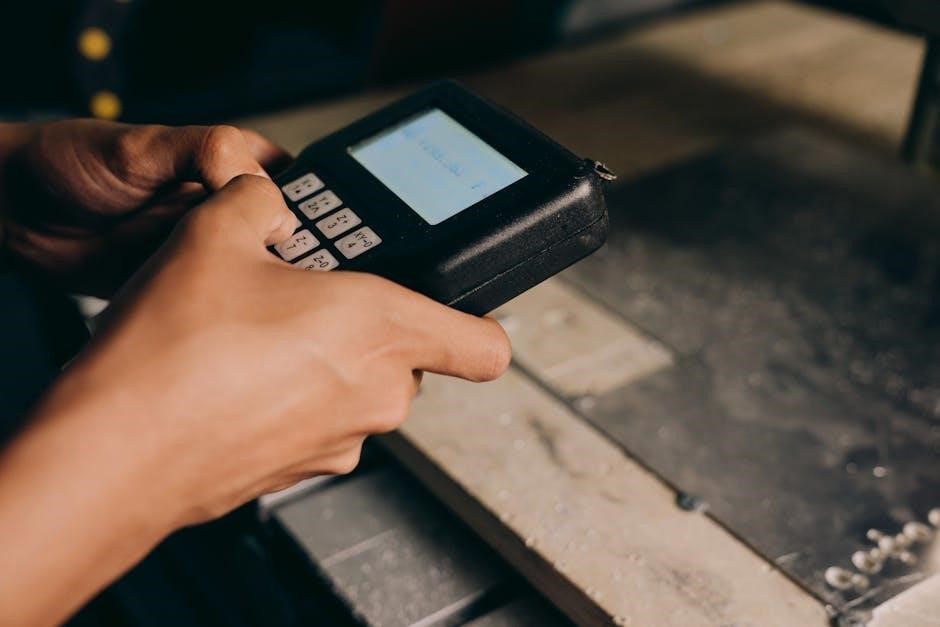
To operate, enter your unique 1 to 6-digit PIN code on the keypad and press the pound (#) button to activate the gate operator swiftly.
Entering a Valid PIN Code
Successfully operating the Mighty Mule keypad hinges on correctly entering a programmed PIN code. The system accepts codes ranging from one to six digits, offering flexibility for user preference and security levels. Upon approaching the keypad, ensure it’s illuminated and responsive. Carefully input your assigned numerical code using the buttons provided.
After entering the complete PIN, firmly press the pound (#) button – this action signals the keypad to transmit the code to the gate operator. A successful code entry will typically be acknowledged by a visual cue, such as a flashing light, or an audible beep, confirming the request. If the gate doesn’t respond, double-check the entered code for accuracy and ensure the wireless signal is strong.
Remember that each user can have a unique PIN, and it’s crucial to keep these codes confidential to maintain security. Avoid easily guessable codes like birthdays or sequential numbers. Regularly review and update PIN codes as needed for enhanced protection against unauthorized access.
Activating the Gate Operator
Once a valid PIN code is entered and the pound (#) button is pressed, the Mighty Mule keypad transmits a signal to the connected gate operator. This signal initiates the gate’s activation sequence, causing it to begin opening or closing, depending on its current state. The response time may vary slightly based on distance and potential wireless interference.
Observe the gate’s movement to confirm successful activation. If the gate doesn’t respond, revisit the ‘Troubleshooting’ section of this manual to address potential issues like low battery, signal obstruction, or incorrect programming. Ensure there are no physical obstructions preventing the gate’s operation.
The keypad’s primary function is to provide secure, remote access to the gate without requiring a physical remote control. This is particularly useful for visitors or service personnel who may need temporary access. Always verify the gate has fully completed its cycle before proceeding through the opening.
Keypad Feedback (Lights, Sounds)
The Mighty Mule keypad provides visual and auditory feedback to confirm user actions and system status. Upon pressing a button, a brief illumination of the keypad’s backlight indicates input registration. A successful PIN code entry is typically acknowledged with a distinct beep or a series of beeps, signaling the transmission of the activation command.
Error conditions are also communicated through feedback. An incorrect PIN code entry usually results in a different beep pattern or a flashing red light, alerting the user to the mistake. Low battery levels may be indicated by a slow, repeating beep or a warning light.
Pay attention to these cues as they provide valuable information about the keypad’s operation. Refer to the troubleshooting section if you encounter unusual or unexpected feedback patterns, ensuring proper functionality and security.

Troubleshooting Common Issues
This section addresses frequent problems like unresponsive keypads, unrecognized PIN codes, and wireless interference, offering solutions for maintaining optimal gate access control.
Keypad Not Responding
If the Mighty Mule keypad fails to respond, begin with a simple battery check. Low batteries are a common culprit, especially after prolonged use or during colder temperatures. Replace the batteries with fresh ones, ensuring correct polarity. Next, verify the wireless communication range; the keypad should be within 50 feet of the gate operator.
Obstructions or interference can disrupt the signal. Check for physical barriers or potential sources of radio frequency interference, such as other wireless devices. If the issue persists, attempt a system reset by briefly disconnecting the power to the gate operator. Confirm that the keypad is properly programmed and hasn’t been accidentally deactivated in the programming mode. Finally, consult the full manual for advanced troubleshooting steps or contact Mighty Mule support for assistance.
PIN Code Not Recognized
When a valid PIN code is repeatedly unrecognized, first double-check the entered code for accuracy, paying close attention to capitalization (if applicable) and the correct sequence of digits. Remember that Mighty Mule keypads support PIN codes ranging from 1 to 6 digits. Verify that the PIN code has been correctly programmed into the system’s memory, accessing the programming mode to confirm its entry.

Ensure the PIN code hasn’t expired if it was set as a temporary code. If multiple users have PIN codes, confirm the correct code is being used for access. Interference or low battery power can sometimes cause recognition errors; address those possibilities. A system reset might resolve programming glitches. If the problem continues, consult the manual or contact Mighty Mule support for further assistance.
Wireless Signal Interference
Wireless keypads, like the FM137, operate on radio frequency and are susceptible to interference from various sources. Common culprits include other wireless devices, such as routers, baby monitors, and even some lighting systems, operating on similar frequencies. Physical obstructions like thick walls, metal structures, or large trees can also weaken the signal, reducing the effective range – typically up to 50 feet.
To mitigate interference, try repositioning the keypad or gate operator to minimize obstructions. Reduce the distance between the keypad and the receiver. Identify and temporarily disable potential interfering devices to see if signal strength improves. Ensure the antenna is properly connected and oriented. If interference persists, consider a wired keypad installation for a more reliable connection, bypassing wireless vulnerabilities.
Battery Replacement and Maintenance
Maintaining your Mighty Mule keypad involves periodic battery checks and replacements to ensure consistent operation. The keypad typically uses standard alkaline batteries; the number required varies by model. Low battery levels can manifest as intermittent functionality or a complete lack of response. Regularly inspect the battery compartment for corrosion, cleaning with a dry cloth if necessary before inserting new batteries.
To replace batteries, carefully open the keypad housing, noting the battery polarity (+ and -). Use fresh batteries of the correct type. After replacement, perform a system check to confirm proper functionality. Avoid mixing old and new batteries. Periodically clean the keypad surface with a damp cloth to remove dirt and debris, preserving its appearance and responsiveness.

Security Considerations
Prioritize PIN code security, utilizing strong, unique codes and regularly changing them. Protect against unauthorized access by understanding radio frequency security features.
PIN Code Security Best Practices
Maintaining robust PIN code security is paramount for safeguarding your property and ensuring only authorized individuals gain access through your Mighty Mule gate system. Avoid easily guessable PINs like birthdays, anniversaries, or sequential numbers (1234). Opt for a combination of numbers, varying in length within the allowed 1 to 6 digits, to maximize security.
Regularly update your PIN codes, especially if you suspect any compromise or unauthorized knowledge. Consider implementing a policy of periodic PIN changes for all users. When adding user PIN codes – up to 25 are supported – document who has access and their assigned code for accountability.
Be mindful of sharing PIN codes verbally or in written form, as this increases the risk of interception. If a PIN code is lost or compromised, immediately delete it from the system and create a new one. Remember, the Mighty Mule system boasts a radio format with over a million different codes, so utilize this security feature effectively.
Radio Frequency Security
The Mighty Mule keypad utilizes radio frequency (RF) communication for wireless operation, offering convenience but also requiring attention to security. The system’s radio format provides a substantial level of security, employing over a million different codes to minimize the risk of unauthorized access. However, RF signals can be susceptible to interference or, in rare cases, interception.
To enhance RF security, ensure your keypad is positioned away from potential sources of interference, such as other wireless devices or large metal objects. Regularly check the wireless communication range (up to 50 feet) to confirm a strong and stable signal. Be aware that while the system is designed for secure operation, no wireless system is entirely immune to sophisticated attacks.
Consider the physical security of the keypad itself, preventing tampering or unauthorized access to programming functions. Maintaining a secure environment around the keypad contributes to the overall RF security of your gate system.
Protecting Against Unauthorized Access
Safeguarding your gate system requires proactive measures against unauthorized access. Begin by establishing a strong Master PIN code during initial programming, keeping it confidential and separate from user codes. Regularly review and update user PIN codes, especially if an employee or resident leaves. Utilize the temporary PIN code feature for visitors or service personnel, setting expiration dates to limit access duration.
Avoid using easily guessable PIN codes like birthdays or sequential numbers. The Mighty Mule keypad allows for up to 25 unique PIN codes, enabling granular control over who can operate the gate. Periodically audit the list of active PIN codes, removing any that are no longer needed.
Furthermore, ensure the keypad itself is securely mounted and protected from physical tampering. A combination of strong PIN code practices and physical security will significantly deter unauthorized entry.